Keep WhatsApp on Your Old Number With a US SIM
 Srujan YeletiFounder, Unlimit Mobile
 6 min read
Can You Keep WhatsApp on Your Old Number After Getting a US SIM?
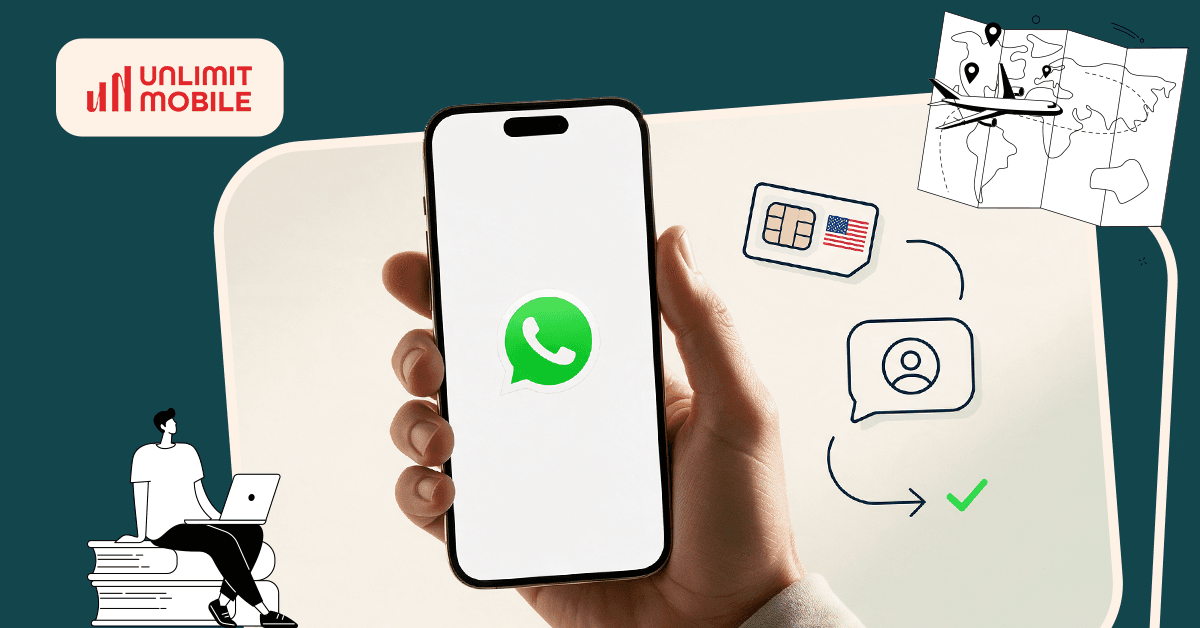
Yes, you can keep using WhatsApp on your old number after getting a US SIM. Your WhatsApp account remains linked to the number you originally registered, even when you switch to a new SIM for calls and mobile data. This means international students moving to the USA can continue using their existing WhatsApp account, family chats, and groups without changing their number. In this blog, we'll explain how to use WhatsApp with a US SIM, manage two numbers on one phone, switch to a US number, and protect your chats.
Does WhatsApp Work with Your Old Number After Getting a US SIM?
Your WhatsApp account does not require your old SIM to remain inserted in your phone for everyday use. You can continue using WhatsApp through Wi-Fi or your US SIM's mobile data while keeping your existing account.
However, make sure you can still access your old number. WhatsApp may require SMS or call verification if you need to register your account again.
For example, a student from India moving to Chicago can use a US SIM for local calls and mobile data while continuing to chat with family and friends through her Indian WhatsApp number.
How to Use WhatsApp with Two SIM Cards on One Phone?
To use two SIMs on one phone, first check whether your device supports dual-SIM functionality. Some phones support one physical SIM and one eSIM, while others support two physical SIMs. Also, make sure your phone is compatible with your US carrier's network.
Once you've confirmed compatibility, follow these steps:
Add your US line: Install your US eSIM for international students, or insert the physical SIM into your phone's SIM tray.
Pick your data line: In your mobile settings, set the US line as your preferred option for mobile data and everyday US calls.
Keep your home line for texts: You may still need your home number to receive bank OTPs and other messages. Check whether your home carrier supports international roaming and incoming SMS in the USA. You may need an active plan or roaming service to receive messages.
Note: Remember, having two SIMs does not automatically give you two WhatsApp accounts. WhatsApp's multiple accounts feature lets you use two separate accounts on one compatible mobile device. Each account needs its own phone number and separate verification.
What to Do Before Moving to the USA?
You can prepare your WhatsApp account before moving to the USA by following these steps:
Avoid cancelling your home number immediately, as WhatsApp may need it for account verification.
Contact your home carrier to understand its number-retention policy and incoming SMS requirements.
Create a fresh WhatsApp backup to Google Drive or iCloud and ensure it completes successfully.
Avoid registering a new WhatsApp account with your US number unless you intend to change numbers.
What If You Want to Change Your WhatsApp Number to Your New US Number?
Switching your WhatsApp number to a US number may be useful if most of your new contacts are based in the USA. You can change your registered number directly through WhatsApp by following these steps:
Check your new number: Your US number should be active and able to receive an SMS or a verification call.
Use your primary phone: Open WhatsApp on your primary phone, as you cannot change your number through WhatsApp Web or Desktop.
Find the setting: Go to Settings → Account → Change Number.
Add the numbers: Enter your old number and your new US number in full international format, including the country codes (+91 for India and +1 for the USA, respectively).
Finish the verification: Follow the on-screen instructions to verify your new number. You can also choose whether to notify your contacts about the change.
After changing your number, create a fresh WhatsApp backup using your new number. Make sure you use the same Google or iCloud account as before, where applicable. WhatsApp backups are associated with the phone number and cloud account used to create them.
Will You Lose Your WhatsApp Chats or Contacts After Changing SIMs?
Swapping the SIM card does not mean you lose your WhatsApp chats, unless you have made regular backups. However, changing your number or your phone takes a few extra steps, and this is usually where chats go missing. Hence, it is advised to make a fresh backup, check that it has finished and follow WhatsApp's official steps, rather than registering on a new phone halfway through. It is important to note that a cloud backup can only be restored with the phone number and the Google or iCloud account that created it.
Can You Use WhatsApp With an Unlimit Mobile US SIM or eSIM?
Yes, you can use WhatsApp with an Unlimit Mobile US SIM or eSIM while keeping your existing WhatsApp number. Whether you choose a physical SIM or an eSIM, WhatsApp works as long as your phone is compatible and connected to the internet.
Unlimit Mobile US plans run on the T-Mobile 5G network, and you can install your eSIM before leaving home so your US line is ready before you travel. You can continue using WhatsApp with your old number or switch to your new US number whenever you choose.
At USD 432 for 12 months, the plan also offers potential savings of approximately USD 768 compared with a year of AT&T's Premium 2.0 plan.
Explore Unlimit Mobile US plans and check the plan details before you travel!
Final Thoughts
Getting a US SIM doesn't mean you have to leave your existing WhatsApp account behind. You can continue using your Indian number, set up two SIMs on one phone, or switch to your US number whenever you're ready. Just remember to back up your chats and keep access to your old number for verification.
Planning your move to the USA? Get your US connection sorted before you fly with Unlimit Mobile. Explore our US SIM and eSIM plans, compare your options, and choose a plan that keeps you connected from the moment you land!
Frequently Asked Questions
Will WhatsApp stop working if I remove my old SIM?
No, it won't stop working since WhatsApp is linked to your registered number and not to the SIM. However, keep that number active in case WhatsApp sends you a new code.
Can I use my Indian WhatsApp number with a US SIM?
You can. WhatsApp stays on your Indian number Yes, you can use your Indian WhatsApp number with a US SIM. Your WhatsApp account stays linked to your Indian number, while your US SIM provides mobile data and connectivity.
Can I use WhatsApp without my Indian SIM in my phone?
Yes, you can use WhatsApp without your Indian SIM inserted in your phone. Your account remains linked to your registered Indian number, while your US SIM or Wi-Fi provides internet connectivity.
Can I use WhatsApp with a US eSIM?
Yes, WhatsApp works with a US eSIM just like a physical SIM. You can use your existing WhatsApp account as long as your phone supports eSIM and has an internet connection.
Will my WhatsApp contacts know if I change my number?
WhatsApp allows you to choose whether to notify your contacts when changing your number. You can also notify selected contacts instead of everyone. Group chats are notified automatically.
Can I use my Indian WhatsApp number without international roaming?
Yes, you can use your Indian WhatsApp account without activating international roaming, provided you have internet access through your US SIM or Wi-Fi. However, you may still need access to your Indian number if WhatsApp requests verification.